

Users
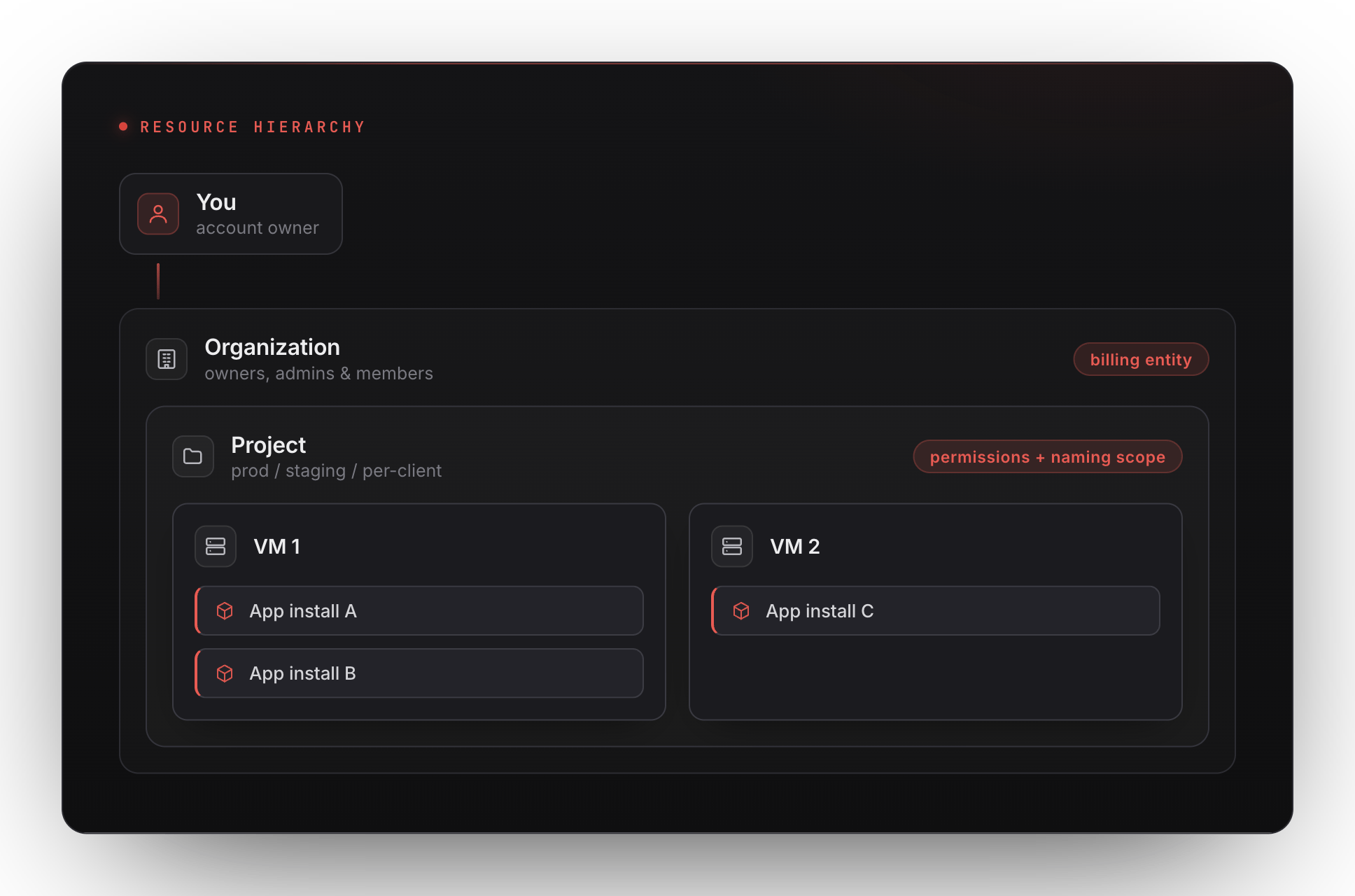
A user is a single human identity (email + password, optionally with OAuth and 2FA). The audit log records supported user actions and background-system events.Organizations
An organization is the billing entity. Credits, invoices, payment methods, and spend caps live on the organization. Every user belongs to at least one organization — a personal organization is created automatically on sign-up. Organizations have members with roles:- Owner — full control, including billing and member management.
- Admin — manage projects, members, settings, and supported billing actions.
- Member — can act inside projects they’re added to.
Projects
A project is a permissions + naming scope inside an organization. VMs and app installs live inside projects, not directly under the org. Projects let you:- Separate prod from staging without separate billing.
- Grant a contractor access to one project without exposing the rest.
- Group resources for an audit-log filter.
What this means in the URL
URLs in the dashboard reflect this hierarchy:Switching orgs / projects
Sidebar dropdowns let you switch organization and project independently.Audit log
The audit log records supported platform events, with the resource and available actor/request information. Background-system events may have no browser IP or user-agent. Owners and admins can view organization-wide events; ordinary members see their own events in that view. Project views are limited to the selected project. Commands and file changes made inside a VM are not comprehensively recorded by the platform audit log.Next
VMs
The actual machine that runs your apps.
Billing & credits
How charges flow — at the organization level.